


Article by Paul Hobday, Senior Marketing Manager at Lulu
Publishing is evolving; as more authors find their businesses left to the whims of platform changes and shifting algorithms, they are prioritizing long-term control over immediate payouts or recognition. Building a direct relationship with your audience has become crucial to success.
The challenge is managing book sales across a wide array of retail channels while building a dedicated audience.
Along with the level of control a platform offers users, authors today should evaluate publishing platforms on factors such as
- ease of use,
- production quality,
- product variety, and
- customer support.
Platforms such as KDP, IngramSpark, Curios, BookVault in the UK, and Lulu can each provide authors with opportunities to reach readers in different ways. Which one is right for you depends on your business strategies and goals.
Lulu.com stands out not merely as another publishing platform but as a comprehensive solution to the problem. The platform supports a myriad of projects, including print books, photo books, comic books, magazines, yearbooks, calendars, and ebooks. But it also offers authors four distinct distribution avenues tailored to various facets of the publishing journey: a dedicated online bookstore, the Lulu Direct platform, expansive retail distribution, and crowdfunding possibilities.
After creating a free account on Lulu.com, you can begin crafting your first project. Then, you can select one of the four methods to explore options for distributing your work to eager readers.
Lulu’s Retail Bookstore: Bridging Indie Authors with Global Readers
Lulu’s bookstore is one of the largest indie booksellers currently in the market, creating a space where authors can sell their books to readers around the world. The secure checkout also accommodates multiple currencies, simplifying transactions for readers worldwide.
Self-published authors can use Lulu’s bookstore to make their books available for sale quickly. There is no retailer review process, meaning books can be published and listed on the same day.

Retail Distribution: Centralizing Sales and Distribution
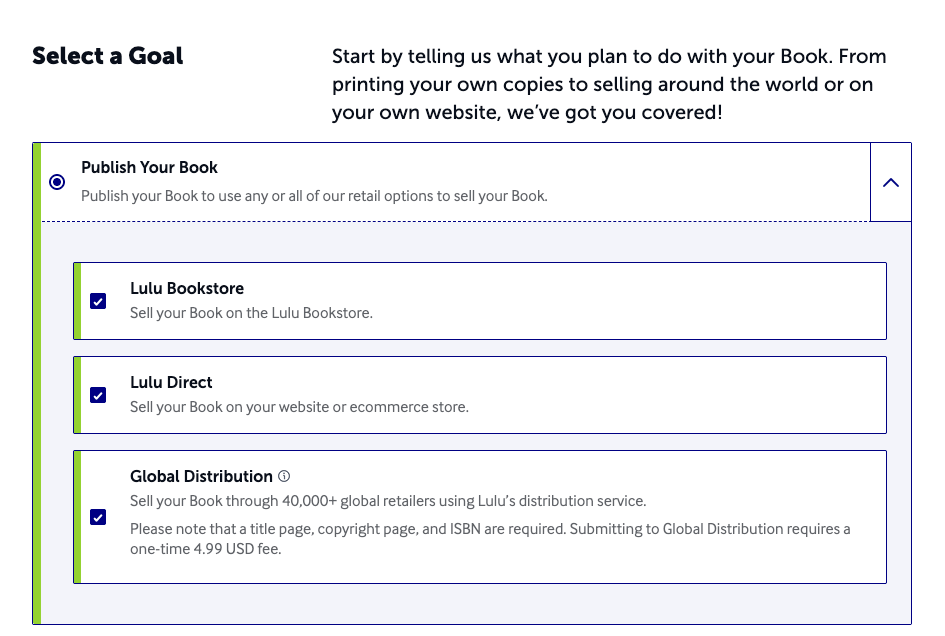
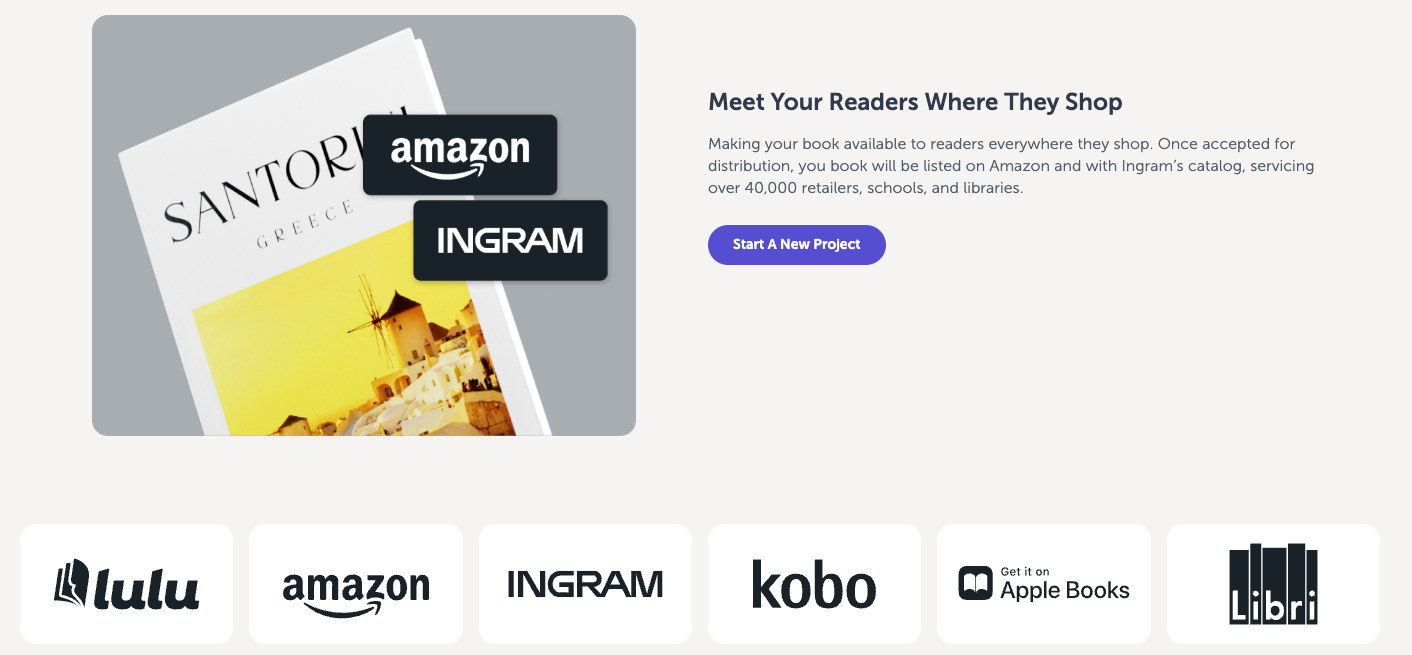
Along with the Lulu Bookstore, authors have access to an integrated global distribution service through the platform. Opting into distribution through Lulu links authors to common online and physical retailers like Amazon, Ingram, Apple Books, Kobo, and Libri. Authors are able to oversee all sales and revenue from different booksellers on a single dashboard.
Key Considerations Using Lulu’s Distribution
Authors looking to distribute their books through Lulu should keep in mind the following requirements for uploading projects to various retailers.
- Submission: To sell through retailers, you’ll need to include all necessary metadata, including an ISBN and product description, during the publishing process.
- Approval: For print editions, you must purchase, review, and approve a physical proof copy of your book before submission. If you make a revision to the book, a new proof will be required to submit the update.
- Fees: Print books and ebooks have a one-time distribution fee of $4.99, paid the first time the project is submitted. Revisions will not incur the distribution fee.
Lulu offers detailed guides to help authors submit their projects for distribution. The Global Distribution Guide and the Eligible Products Guide provide insights into the requirements and eligible product types for global distribution.
Fulfilling Crowdfunding Campaigns via Lulu
Crowdfunding platforms like Kickstarter are a huge boon to creators of all kinds. Offering a new book to your readers before it launches helps you gauge interest and ensure you’re not overbuying copies on release. Adding stretch goals, such as special editions or extra swag, adds another way for your fans to support you and helps build your revenue. Once the project hits your funding goal, you’ll get paid and have the resources to purchase editorial services, cover design, and printing copies for those backers.
Lulu includes tools designed to simplify the process of fulfilling bulk orders for an author’s crowdfunding campaign. After publishing a book on Lulu, authors can use the Order Import tool to upload a CSV file containing backers’ orders and shipping details. This file can include any books the author has published with Lulu, simplifying the process for offering multiple editions while crowdfunding. From there, Lulu prints and drop-ships the orders to backers globally—nothing else is required of the author to complete distribution.

Lulu Direct: Facilitating Direct Sales for Indie Authors
Outside of crowdfunding campaigns that offer authors a chance to sell to readers directly, many authors today also choose to sell books through a dedicated online storefront. Lulu Direct—an extension of Lulu.com—streamlines selling books directly for authors with a variety of e-commerce integrations.
Lulu offers two ways for users to sell directly:
- Using Lulu’s integrations for Shopify, Wix, or WooCommerce: In this scenario, you list your products on your website, and Lulu fulfills the orders transparently. The platform acts as a drop-shipper, handling the print-on-demand and shipping duties and leaving the sale in the hands of the author.
- Using Lulu’s Direct Buy Button: Authors can also choose to set up a direct link or embedded button connected to a Stripe checkout experience. Those using buy buttons won’t need to subscribe to an e-commerce service, manage their taxes and shipping, or have a website to sell their books directly.
Using Shopify, Wix, or WooCommerce to Build Your Author Website
Any authors who want to sell books directly using an e-commerce platform must set up their websites to ensure they follow security protocols for credit card collection and privacy policies, as well as tax collection and shipping rates. For details about setting up your site, review the details on your chosen platform’s website.
- Shopify: https://www.shopify.com/website/builder
- Wix: https://www.wix.com/website/design
- WooCommerce: https://woocommerce.com/customize
Once you’ve set up your storefront, navigate to the Lulu homepage, create an account or log in, and locate the My Stores option in the navigation menu. This is the Lulu Direct Dashboard, where you can access all direct selling tools Lulu offers. Click the “Connect A Store” button. Input your store URL. Once done, hit the “Connect” button and approve the connection.
Once your site is connected, Lulu gives you a checklist to complete to ensure you’re ready for website sales to be processed.
Lulu Direct Payment Processing
Lulu Direct’s drop-shipping model can help streamline the sales process for indie authors. When an order is placed on your Shopify, Wix, or WooCommerce website, the author collects payment directly from the customer, and Lulu bills the author for the printing and shipping using a stored credit card. This system allows authors to manage customer payments and fulfill orders efficiently while Lulu Direct handles the backend logistics.

Lulu Direct Settings
There are a few important features to note before you begin processing orders via Lulu Direct.
- Every order is subject to a production delay. This is a safeguard against readers’ hasty decisions or inadvertent errors, but authors can adjust this window to up to twenty-four hours based on their comfort level.
- After your first order, you can expedite the production process by enabling automatic order approval. This will send any new order to production after the production delay, without the need for manual oversight.
- If automatic payments are enabled, Lulu Direct will use your saved payment method to cover printing and shipping expenses as soon as the production delay ends.
- Lulu Direct offers a range of shipping options, from the most cost-effective to the fastest traceable options. Shipping options vary by platform and can be manually adjusted—authors using a Shopify, Wix, or WooCommerce integration control the shipping options displayed at checkout. For those using a buy button, readers can select from Lulu’s available options, and shipping is entirely handled by Lulu.
To get a clearer picture of the shipping costs, revenue estimates, and design options, Lulu’s pricing calculator provides estimated rates.
Using Stripe to Sell Via the Direct Buy Button
Unlike the other e-commerce integrations Lulu offers, the Direct Buy Button does not require an e-commerce store or subscription to an e-commerce service.
Instead, authors can use Lulu’s Direct Buy Button to create a linked Stripe account. Once linked, users can create two kinds of direct purchase options:
- The direct checkout link is a URL you can copy and paste almost anywhere, including a social media profile, email newsletter, or a QR code. When a reader clicks the link, they’ll be directed to a secure checkout to complete their purchase.
- The buy button offers three customizable widgets that allow you to embed a checkout experience in your website or newsletter without needing an e-commerce platform. When a reader clicks the buy button, your book is added to their shopping cart, and checkout is again secured by Stripe.
Both options use Lulu to create a checkout experience, with Stripe handling security and payout management.
Authors can set any price for titles available through the Direct Buy Button or Direct Checkout Link. Lulu deducts the printing cost and charges your customer directly for shipping, so you keep the remaining balance as revenue. Lulu manages everything behind the scenes, including offering shipping methods, collecting taxes, and fulfilling orders.
Unlike the other Lulu Direct e-commerce integrations, readers pay Lulu directly when ordering. The revenue you earn is held in your Stripe account and paid out within thirty days or less. For other e-commerce platforms, the payout schedule will be based on their policies.
Publishing a Project and Creating a Product
Note that the Lulu site differentiates a project and a product. A Lulu project is anything you’ve published, including a print book, photo book, comic book, magazine, yearbook, calendar, or ebook.
When you use Lulu’s direct sales options, you’ll create a product, or a specific listing on your website for sale. This includes the information about your book, like the title, description, author, and pricing, that you would display on a product page.
To create a product through Lulu Direct, you’ll choose “Add a Product.” You have two choices: Create a New Product or Connect an Existing Product.
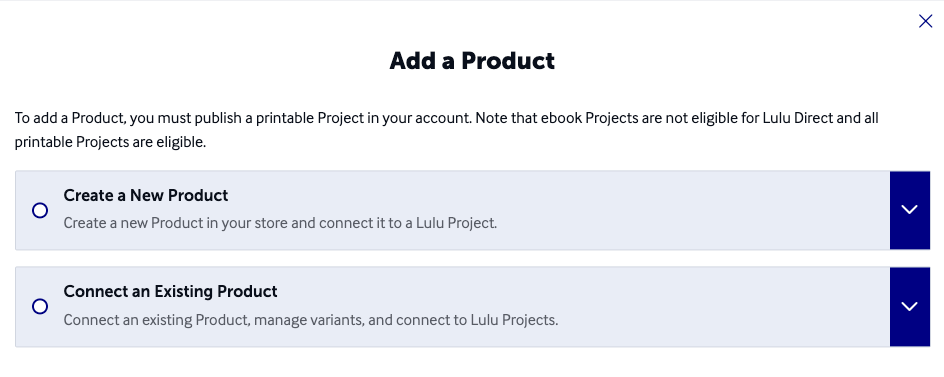
Creating a new product uses the basics of your project to create a new product in your e-commerce store on your website. This method should be the simplest, but it can result in permission errors from your site. If that is the case, it may be better to connect an existing product by first creating a product on your website and then connecting it to your Lulu project.
Publishing Wide to Reach a Bigger Audience
No matter how you choose to publish and sell your books, using a range of sales channels is key to reaching your audience. That includes third-party retail, in-person events, crowdfunding, and direct sales from your own site.
As the publishing landscape continually evolves, being equipped with the right tools and knowledge can make all the difference. Platforms like Lulu.com present indie authors with a toolkit catering to various facets of this journey. From retailing on Lulu’s bookstore to facilitating direct sales through Lulu Direct, ensuring global retail distribution, or leveraging the power of crowdfunding, Lulu endeavors to be a holistic solution for indie authors.
Only you and your readers can decide whether it’s right for your business as well.
Paul Hobday is the Senior Marketing Manager at Lulu.com. When he's not entrenched in the publishing and print-on-demand world, he likes to hike the scenic North Carolina landscape, read, sample the fanciest micro-brewed beer, and collect fountain pens. Paul is a dog person but considers himself cat-tolerant.


